Are you trying to Get Access to Muse AI from outside the United States and finding yourself stuck on a waitlist?
Muse is a personal AI agent designed to do more than answer questions. It can browse the web, work with files, use a computer environment, create documents and interactive outputs, and continue working on tasks in the background.
For users who encounter regional access or signup issues, this guide explains a step-by-step registration method, followed by instructions for redeeming a Muse referral code.
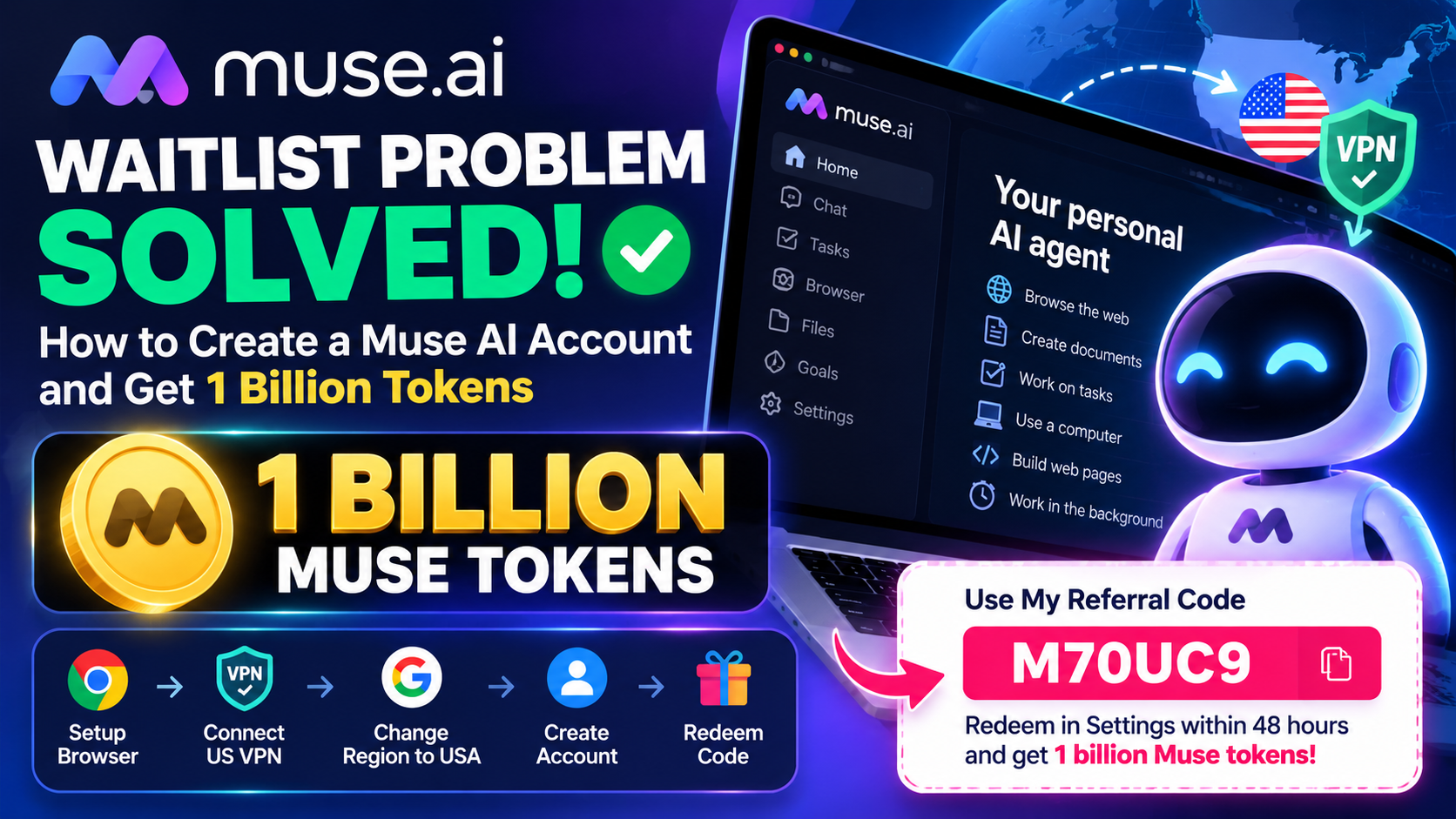
🎁 Get 1 Billion Muse Tokens With My Referral Code
If you’re joining Muse for the first time, you can use my referral code:
M70UC9
According to the referral offer, the code must be redeemed in Settings within 48 hours of joining.
The offer states that both participants can receive 1 billion Muse tokens after the referral requirements are completed.
Referral details
| Detail | Information |
|---|---|
| Muse referral code | M70UC9 |
| Reward | 1 billion Muse tokens |
| Where to redeem | Settings → Redeem Invite Code |
| Redemption period | Within 48 hours of joining |
| Official signup | muse.ai/join |
Important: Referral rewards, eligibility requirements, regional availability, and redemption rules can change. Check the terms shown in your Muse account when you redeem the code.
How to Create a Muse AI Account Without Getting Stuck on the Waitlist
If you’re outside the United States and the normal signup process places you on a waitlist, the following steps describe the browser and region configuration used for the access method.
Important: A VPN or region setting does not guarantee access to Muse. Muse may use additional eligibility and verification signals, and its availability can change.
What You Need
Before starting, prepare:
- A working email address
- Google Chrome
- A VPN that offers a US server
- A payment card if Muse requests one for verification
- Your Muse referral code: M70UC9
Step 1: Open Google Chrome
Start by opening Google Chrome.
For a cleaner registration environment, you can use Chrome’s Guest mode.
Click your Chrome profile icon in the top-right corner and select:
Guest
This creates a temporary browser session separate from your normal Chrome profile.
Step 2: Connect to a US VPN
If you’re located outside the United States and are following this access method, connect your VPN to a United States server.
The purpose of this step is to provide a US IP address to websites that use IP-based location detection.
You can use a VPN provider that offers US servers.
Security tip: Only use a reputable VPN provider. Never install unknown browser extensions or applications simply because a website claims they are required for Muse.
Step 3: Open Google.com
After connecting to the VPN, open:
Google.com
Search for Muse AI rather than following random links from social media or third-party websites.
Step 4: Change Google’s Search Region
The access method also changes Google’s search region to the United States.
In Google:
- Open Search settings.
- Find the Region settings.
- Select United States.
- Save the change.
This changes Google’s search-region preference.
It is important to understand that changing Google’s region is not the same thing as changing your physical location. The VPN and Google region are separate settings.
Step 5: Search for Muse AI
Now search Google for:
Muse AI
Open the legitimate Muse website.
You can also go directly to:
Always check the domain before entering your email address or payment information.
Step 6: Start the Muse Signup Process
Enter the email address you want to use for your Muse account.
Follow the registration instructions displayed on the Muse website.
The exact signup screen can change as Muse updates its service.
Step 7: Complete Age Verification
During registration, Muse may ask you to confirm that you meet its age requirements.
Complete the verification using your real information.
Do not enter a false date of birth simply to bypass an eligibility requirement.
The verification process can vary between users.
Step 8: Complete Payment-Card Verification if Requested
Some users may encounter a card verification step.
The access method described here shows a card being requested for age verification.
If you see a payment authorization:
- Read the verification message carefully.
- Check the amount displayed.
- Make sure you’re on the legitimate Muse website.
- Use a payment method that belongs to you or that you are authorized to use.
- Confirm only if you understand the authorization.
The amount and verification procedure can change, so rely on the information displayed by Muse rather than assuming a particular charge or refund policy.
Step 9: Finish Creating Your Muse Account
After successfully completing the required verification steps, return to Muse.
If your account is accepted, you should be able to access your Muse environment.
You can then explore the AI agent and its available features.
If Muse still displays a waitlist or another eligibility message, don’t assume that changing your VPN again will resolve it. Access is ultimately controlled by Muse’s current availability and eligibility rules.
Step 10: Redeem the Muse Referral Code
This is the most important step if you want to use my referral invitation.
Once you have joined Muse, open:
Settings
Look for:
Redeem Invite Code
Enter:
M70UC9
Then confirm the redemption.
According to the referral offer, the code needs to be redeemed within 48 hours of joining Muse.
Don’t forget:
Muse Code: M70UC9
Deadline: 48 hours after joining
Step-by-Step Summary
For readers who want the process in one place:
1. Prepare an email address
Use an email account you control.
2. Open Google Chrome
Use a Guest profile if you want a separate browser session.
3. Connect to a US VPN
Select a US server if you’re following the location-based method.
4. Open Google
Go to Google.com.
5. Set Google’s region
Change the search region to United States.
6. Search for Muse AI
Find and open the official Muse website.
7. Start registration
Enter your email and follow the signup process.
8. Complete age verification
Use accurate information.
9. Complete card verification if requested
Review the terms and authorization before confirming.
10. Access your Muse account
Complete the registration process.
11. Open Settings
Find the invitation-code section.
12. Enter the referral code
M70UC9
13. Redeem within 48 hours
The referral offer specifies a 48-hour redemption window.
What Is Muse AI?
Muse is designed as a personal AI agent rather than a conventional chatbot.
Its official product information describes an agent that can perform tasks, browse websites, use a computer environment, work with files, and create different types of digital outputs.
Muse can also continue working on tasks in the background after you have assigned a goal. Its system includes activity tracking, permissions, settings, memory, and controls designed to give users visibility into what the agent is doing.
What Can Muse AI Do?
Browse the Web
Muse can use a web browser to search, navigate websites, fill out forms, and perform certain transactions. For important or difficult-to-reverse actions, Muse is designed to request user approval.
Work With Files
Muse has access to a computer environment with a file system and terminal, allowing it to work with files and create tools needed for certain tasks.
Create Documents and Web Pages
Muse can create documents, PDFs, web pages, trackers, dashboards, and interactive study materials.
Work in the Background
One of Muse’s notable capabilities is background task execution. After setting a goal or task, Muse can continue working according to schedules or relevant events and notify you when something meaningful requires attention.
Manage Long-Term Goals
Muse includes a Goals system for tracking longer-running objectives and breaking goals into actionable p
What Are Muse Tokens?
Muse tokens represent usage associated with the service.
The referral offer associated with M70UC9 states that both participants can receive 1 billion Muse tokens after completing the required referral steps.
However, the exact value and usage of tokens depend on Muse’s current system.
Your account may have specific rules relating to:
- Token consumption
- Feature usage
- Promotional balances
- Expiration
- Referral eligibility
- Account limits
Always check your Muse account for the current details.
Why Am I Still Seeing the Muse AI Waitlist?
If you followed the steps above and still see a waitlist, there are several possible explanations.
Regional availability
Muse may not currently provide the same access level to every region.
Account eligibility
Your account may require additional verification.
Service changes
Muse can change its signup process, eligibility rules, and regional rollout.
Referral requirements
An invitation code does not necessarily override account eligibility requirements.
VPN detection
A VPN changes your IP address, but services can use other signals to determine eligibility or location.
Therefore, a US VPN should not be considered a guaranteed way to bypass a Muse access restriction.
Is a VPN Required to Use Muse AI?
Not necessarily.
The VPN is part of the location-based signup method described in this guide. It does not mean that every Muse user needs a VPN.
If Muse officially supports access in your country, the normal signup process is preferable.
Is the Muse Referral Code Still Valid?
The code provided in this article is:
M70UC9
The associated referral offer states that it should be redeemed within 48 hours of joining Muse.
Because referral campaigns can expire or change, confirm the reward displayed in your account after redemption.
Muse AI Referral Code FAQ
What is the Muse AI referral code?
The referral code is:
M70UC9
Where do I redeem the Muse code?
After joining Muse, go to Settings and look for the Redeem Invite Code option.
How quickly should I redeem the code?
The referral offer specifies that you should redeem it within 48 hours of joining Muse.
What is the referral reward?
The referral offer states that both participants can receive 1 billion Muse tokens, subject to the applicable requirements.
Can I create a Muse account from outside the US?
Access depends on Muse’s current regional availability and eligibility requirements. The guide above describes a browser/VPN setup used to attempt registration from outside the US, but it does not guarantee access.
Does a VPN guarantee Muse access?
No. A VPN only changes the apparent network location. Muse may use additional account, verification, or eligibility signals.
What can Muse AI do?
Muse can browse the web, work with files, use a computer environment, create documents and interactive artifacts, manage goals, and perform background tasks.
Can Muse work while I’m away?
Muse is designed to continue working on certain tasks and goals in the background and notify users when meaningful updates or input are needed.
Muse AI represents a more agent-oriented approach to artificial intelligence, allowing users to delegate tasks rather than simply asking individual questions.
If you’re trying to get started from a region where you encounter signup restrictions, you can follow the browser configuration and registration steps described above. However, access ultimately depends on Muse’s current availability and eligibility requirements.
Once you’ve successfully joined, remember to redeem the referral code:
M70UC9
The referral offer specifies that it must be redeemed in Settings within 48 hours of joining, with 1 billion Muse tokens offered to both participants when the applicable requirements are met.
Muse Referral Code: M70UC9